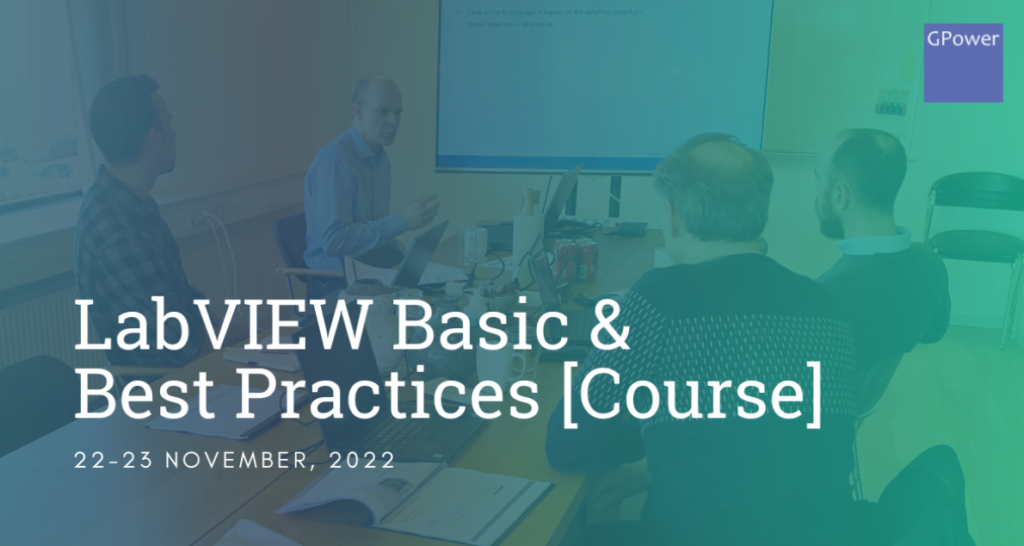
Would you like to be taught LabVIEW by Denmark’s leading experts? Then sign up now! ✅
LabVIEW Basic & Best Practices: 22–23 November 2022
In collaboration with CN Rood, we are hosting a LabVIEW course at our headquarters in Hinnerup near Aarhus.
This is an exclusive two-day course with a maximum of 10 participants. So hurry and reserve a spot!
Price: $1,399 per participant.
Day 1 – View the agenda for 22 November
- Introduction
- What Is LabVIEW
- Why Use LabVIEW
- How to Install It
- The LabVIEW Development Environment
- The Virtual Instrument
- Palettes
- Quick Drop
- Data Types
- Collections Of Data Types
- Controls, Indicators and Terminals
- Function Nodes (LabVIEW Primitives)
- LabVIEW Project Explore
- Code Development In LabVIEW
- Documentation
- The Dataflow Paradigm
- Structures
- Data Manipulation
- Synchronization
- Files
- Libraries and Name Spacing
Day 2 – View the agenda for 23 November
- Basic Error Handling
- The Error Cluster
- Propagation Of Errors
- Merging Errors
- Build Custom Errors
- Display Errors
- Log Errors
- Debug And Test
- Debug Tools
- Analyzing and Profiling
- Unit Testing
- Design Patterns
- Design Patterns
- Advanced Design Patterns
- Exercise: Implement Application
- Building Application
- Application Builder
- Executable
- Installer
- Packed Project Library (PPL)
- Source Distribution
- NI Packages
- Exercise: Build and Deploy an Application
- Q&A Course Wrap-up
Why LabVIEW?
LabVIEW is a development environment for NI’s (National Instruments) graphical programming language G. The software is particularly strong when used for tasks within test, measurement, and control.
The advantage of LabVIEW is that it can visualize all aspects of applications, including hardware configuration, measurement data, and troubleshooting. This visualization makes it easier, among other things, to integrate measurement equipment from different vendors, develop analysis algorithms, and design custom interfaces.
![Don’t let your error codes become the next Blue Screen of Death [3:4]](https://gpower.io/wp-content/uploads/2026/09/Figur-1-Windows-11-Blue-Screen-of-Death-1-300x225.webp)

![Error handling in LabVIEW [2:4]](https://gpower.io/wp-content/uploads/2026/06/Fejlhaantering-i-labview-jesper-kjaer-soerensen-gpower-300x169.png)

![Don’t let your error codes become the next Blue Screen of Death [3:4]](https://gpower.io/wp-content/uploads/2026/09/Figur-1-Windows-11-Blue-Screen-of-Death-1.webp)