


SmartUI for TestStand
An intuitive user interface designed to streamline test control and make test execution more efficient.
Boost your test efficiency with SmartUI
Tired of traditional test UIs that simply run sequences without providing real insight? With GPower’s SmartUI, you get:
- Improved operator experience: An intuitive, user-friendly interface that boosts efficiency
- Scalability and standardization: A consistent interface across all test stations, reducing training time, errors, and maintenance costs
- Embedded dialogs keep everything visible and accessible
- Optimized for touchscreens
- Optimized performance: Reduce downtime, monitor operations, and make data-driven decisions
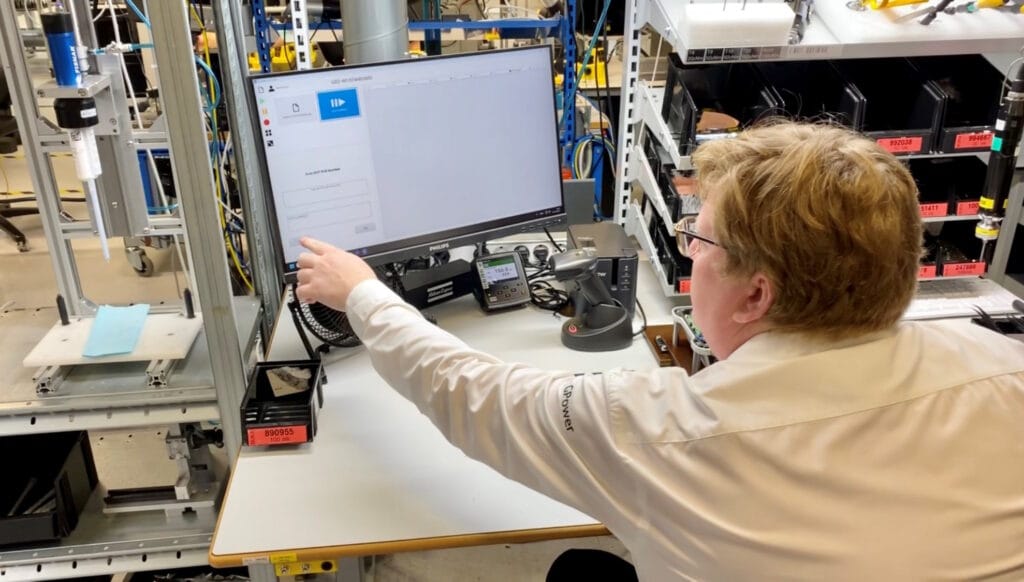
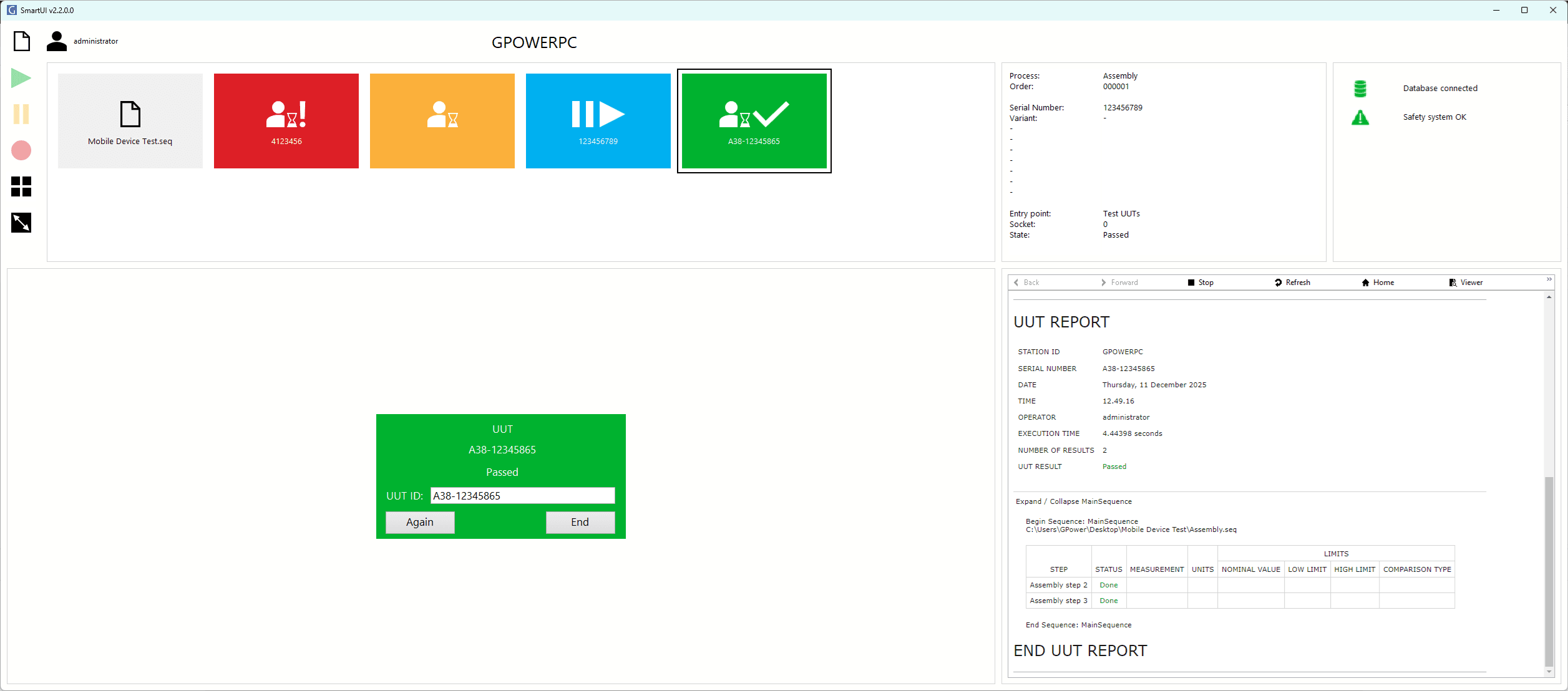
Efficiency and control like never before
SmartUI for TestStand is built for manufacturers to improve process visibility, increase reliability, and enable seamless scaling across all test stations.
An intuitive, standardized interface gives operators and developers an efficient tool for consistent use and easy day-to-day operation.
“Instant operator prompts and clear visual indicators for each test socket reduce downtime and human error. As test capacity scales, this proactive approach helps meet growing demand without compromising efficiency. ”
– Steen Schmidt, CTO at GPower
Embedded dialogs
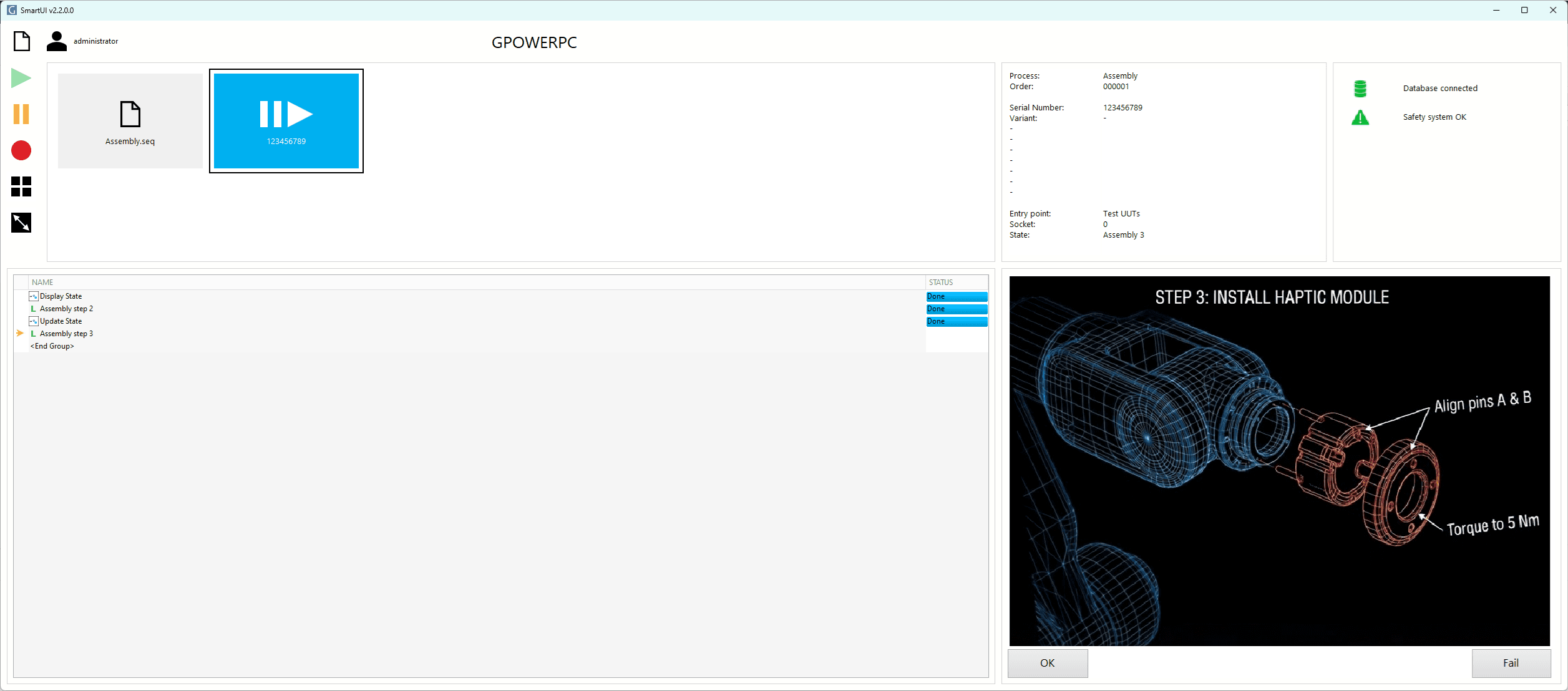
All dialogs are embedded in the UI, eliminating hidden pop-ups and keeping operators in control.
Digital procedures
Simple step-by-step guidance ensures consistent processes and reduces operator errors.
Modern interface
Intuitive design with instant feedback speeds up training, reduces downtime, and improves control.
Scalable and flexible
SmartUI adapts to any test environment, making it easy for operators to work across test stations.
Future-proof
Long-term support and continuous updates keep SmartUI stable, compatible, and up to date.
Robustness and security
SmartUI for managing test processes
Leica Geosystems was developing a new product and needed a test system to ensure the quality of its Safety Awareness Solutions.
With GPower SmartUI at its core, the solution gives operators an intuitive way to manage the test process. The modern interface reduces complexity and eliminates unnecessary distractions, making testing simpler and more efficient.
Buy GPower SmartUI
TestStand Smart Flow
A product with compatible process models
Free
with the purchase of SmartUI
- Optimized process models
- Embedded standard dialogs
GPower SmartUI
Activate your license after the 90-day demo
6.849 €
one-time fee
- Perpetual license per test station
- Instant digital download and activation
SmartUI license calculator
Enter how many SmartUI licenses you need and see the total price.
| Price per number of licenses | License no. 1 | Licenses no. 2 to 5 | Licenses no. 6 to 20 | Licenses over 20 |
|---|---|---|---|---|
| Perpetual license | DKK 50,000 | DKK 20,000 | DKK 8,500 | DKK 6,000 |

During the development of a new product, we needed both software and test equipment. GPower delivered the solution, including SmartUI, which provides our operators with the guidance they need to assemble units through a clear and intuitive interface.
– Jeppe Linde Hørup, Leica Geosystems
Download free versions for 90 days
SmartUI TestStand Toolkit
Use the TestStand Toolkit to integrate information into SmartUI
Free
Forever
- Product information
- Serial number
- Process and station information
SmartUI LabVIEW Toolkit
Use the LabVIEW Toolkit to create your own dialogs for SmartUI
Free
Forever
- Create your own dialogs that can easily be integrated into SmartUI
We chose GPower because their expertise and collaborative approach quickly gave us confidence that they were the right partner for the job. From start to finish, they worked as an extension of our team – flexible, reliable, and fully committed to the project.
– Jeppe Linde Hørup, Leica Geosystems
FAQ
What do I need to get started?
SmartUI is installed via NI Package Manager and requires TestStand 2024 Runtime Engine or later.
For TestStand Runtime pricing, see our NI licensing options.
What do I do if I do not have TestStand installed?
SmartUI only requires the TestStand Runtime – not the TestStand Sequence Editor. This means you can run existing sequence files with just the TestStand 2024 Runtime Engine installed.
What are the key specifications for SmartUI?
Compatible with TestStand versions: TS2024 and newer (requires Runtime only).
Where can I download the installation guide for SmartUI?
Click here to download the installation guide. Get started quickly with four simple steps to install and activate SmartUI.
- Installation
- Setup
- Activation
- Run
Are my existing sequences compatible with SmartUI?
Existing TestStand sequences can run in SmartUI. However, standard TestStand message pop-ups are not embedded in the interface and therefore do not trigger SmartUI’s visual indicators for operator interaction.
How do I convert my existing sequences to SmartUI?
Use the GPower SmartUI TestStand Toolkit, available as a free download, to replace existing message pop-ups with SmartUI-compatible versions. See section 7.4 of the user manual for detailed instructions.
Can SmartUI-compatible sequences run without SmartUI?
Yes! All GPower SmartUI components are designed to work with or without SmartUI.