


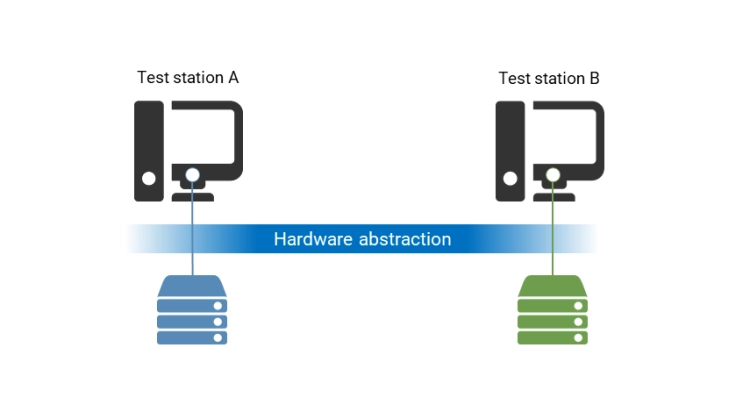
What is hardware abstraction, and what benefits does it provide when you acquire or generate signals for, for example, test equipment, data acquisition, or control systems?
Hardware abstraction: Why and when?
When a computer program needs to communicate with a piece of hardware, a driver is required to provide the program with an interface to the hardware. The driver is typically specific to a given piece of hardware, which means that when you use the driver in a program, you largely lock yourself into that instrument. In most cases, you will not be able to replace the hardware without integrating a new driver into the program, and therefore the hardware offers only very limited flexibility.
The solution is to introduce a hardware abstraction layer (HAL) so that the program is separated from the driver. The program communicates with the hardware only through a HAL, which means the program does not need to know which specific hardware it is working with. The program knows the hardware only through an alias, which the HAL translates to the actual hardware. The hardware is said to be abstracted, as all the specific details are hidden from the program.
HAL makes it easy to replace one instrument with another, as you only need to point the program’s alias to a different instrument. This requires no changes to the software itself, only to its configuration.
Hardware abstraction at GPower
Typically, hardware abstraction is implemented based on the type of instrument, so the instruments can be divided into groups. The challenge, however, is that a type A instrument cannot be replaced by a type B instrument—even if both have the required functionality for a given measurement. For example, both a multimeter and an oscilloscope can measure a DC voltage, despite being very different.
At GPower, we address this challenge by basing our hardware abstraction on functionality rather than instrument type, which provides greater flexibility in the use of hardware and therefore easier data acquisition. All instruments that implement the same functionality can therefore be easily replaced, and it only requires a change in the software configuration.


![Don’t let your error codes become the next Blue Screen of Death [3:4]](https://gpower.io/wp-content/uploads/2026/09/Figur-1-Windows-11-Blue-Screen-of-Death-1-300x225.webp)



![Don’t let your error codes become the next Blue Screen of Death [3:4]](https://gpower.io/wp-content/uploads/2026/09/Figur-1-Windows-11-Blue-Screen-of-Death-1.webp)