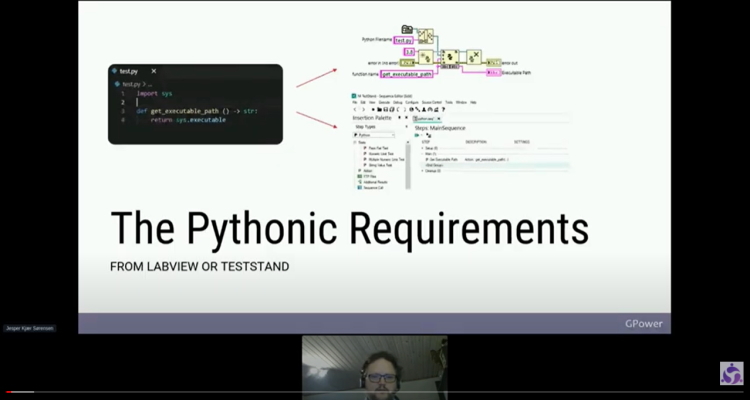
When you are getting started using Python from LabVIEW and TestStand, there are requirements for how Python is installed. In this post, you can see the process for how to package Python for both LabVIEW and TestStand using NI Package Manager.
In addition to being a software developer at GPower—and a fantastic colleague 🤣—Jesper Kjær Sørensen is, not least, a huge Python, LabVIEW, and TestStand enthusiast. As a result, Jesper participates in various events; this time, GLA Summit.
See Jesper’s presentation
Did you miss Jesper’s presentation on “Pythonic Requirements from LabVIEW and TestStand”? Then you can watch or rewatch the video below. The video is a step-by-step guide on how you can package your Python environment, including the Python packages for your NI programs.
A quote from Jesper
“In previous years, there were plenty of presentations at both @GLAsummit and @GDevCon that explained how Python has been used in conjunction with LabVIEW and TestStand. All really good presentations about the programming, but nonetheless under the same premise: namely, the premise that Python was installed on the PC where the code was executed.
As a systems engineer, I took the opposite approach and tried to uncover what would make it possible for developers to easily package, deploy, and execute Python code from LabVIEW and TestStand. A presentation that covers:
- Consistent installation configurations
- Good dependency management
- Virtual environments
- Downloading and installing Python packages in the new environment”
If you would like to know more about “The Pythonic Requirements from LabVIEW and TestStand”, please email Jesper here.
What is GLA Summit?
In addition to GLA Summit being an exciting opportunity to learn from advanced LabVIEW developers from around the world, it is also an event that provides the opportunity to network and take part in an inclusive, digital LabVIEW event. Read more about the team behind the event here.

![Don’t let your error codes become the next Blue Screen of Death [3:4]](https://gpower.io/wp-content/uploads/2026/09/Figur-1-Windows-11-Blue-Screen-of-Death-1-300x225.webp)


![Error handling in LabVIEW [2:4]](https://gpower.io/wp-content/uploads/2026/06/Fejlhaantering-i-labview-jesper-kjaer-soerensen-gpower-300x169.png)

![Don’t let your error codes become the next Blue Screen of Death [3:4]](https://gpower.io/wp-content/uploads/2026/09/Figur-1-Windows-11-Blue-Screen-of-Death-1.webp)