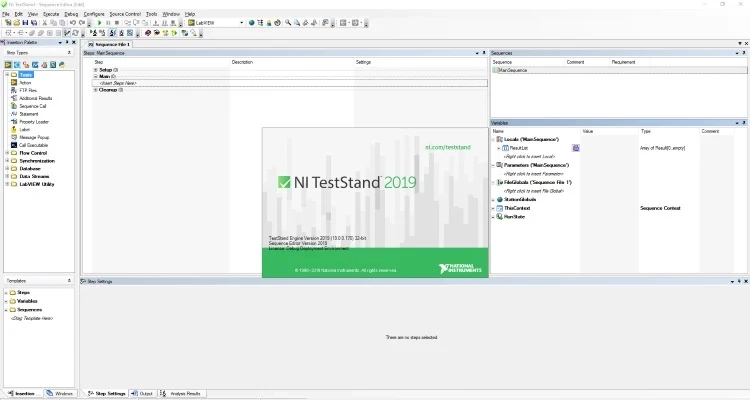
This is the second blog post in the NIWeek 2019 series. While the first post covered new features in LabVIEW, this time it is about new features in TestStand that can help us complete test systems faster.
An overview of new features in TestStand 2019
Which new features in TestStand 2019 are important to know in order to complete test systems faster and more reliably? Below, I have compiled a list of new features, which are elaborated on afterwards:
- Quick Drop support
- PDF Report Generation
- Data Streams: A new way to read data to and from the sequence
- Sweep Loops: A new way to combine parameters
- Building 32-bit packages for NI Package Manager (NIPM)
- Python adapter with support for Python 2.7 and 3.6+
Quick Drop support
In TestStand 2019, developing test sequences has become faster with the new Quick Drop feature, which is well known from LabVIEW. With Quick Drop, you can insert Action Steps, Tests, or Variables, which is a major leap forward in TestStand development speed.
PDF Report Generation
A long-awaited feature is that it is now possible to generate a PDF report from within TestStand, which, among other things, makes it easier to share results without cumbersome dependencies. However, please note that the PDF report is only generated at the end, meaning you cannot generate it during execution with “On-The-Fly” Report Generation.
Data Streams
With the new Stream-loop Step Type in TestStand 2019, there are improved options for streaming data to or from a file. The reading is element-based, which means you can define which steps should be executed for the given element. This allows you to create multiple test profiles in external files and load these into the sequence to parameterize your equipment. As a result, you get a more modular and flexible test system, because the logic for configuring the system only needs to be written once, while test profiles can be added as needed.
Sweep Loops
The new Sweep Loop Control is an improvement of the ForEach loop from TestStand 2017. In this new Loop Type, you can set up limits for different test parameters and choose the strategy for changing the parameters. If you assume you have four parameters with four known values, that results in 256 different permutations. TestStand can be configured to run through the different parameter permutations, and it can save the active permutation to a file. In this way, you can achieve more test coverage on your test unit without having to write a lot of loops to handle permutations. This makes it easier to reproduce an error caused by an unfortunate parameter configuration within the allowed limits.
Python adapter
TestStand now provides full support for Python in the form of the new Python Code Adapter, making it possible to use Python to develop test sequences. The Python experience in TestStand is enhanced by National Instruments integrating parallel execution of Python code. This solves one of the major challenges in Python in the form of parallel code execution, which has been problematic until now.
This new code adapter opens up countless possibilities for connections to external systems on the internet or to databases that TestStand does not natively support. If the system has an API for Python, you can connect to it from your test station. This also lowers the barrier to extracting data from test stations in a production line.
A brief summary
The message of this post is therefore: Use the new features in TestStand 2019, and reach your goal faster and more reliably when testing systems, products, components, or prototypes!
Remember, you are always welcome to write to us or call us if you have any questions.
![Don’t let your error codes become the next Blue Screen of Death [3:4]](https://gpower.io/wp-content/uploads/2026/09/Figur-1-Windows-11-Blue-Screen-of-Death-1-300x225.webp)


![Error handling in LabVIEW [2:4]](https://gpower.io/wp-content/uploads/2026/06/Fejlhaantering-i-labview-jesper-kjaer-soerensen-gpower-300x169.png)

![Don’t let your error codes become the next Blue Screen of Death [3:4]](https://gpower.io/wp-content/uploads/2026/09/Figur-1-Windows-11-Blue-Screen-of-Death-1.webp)