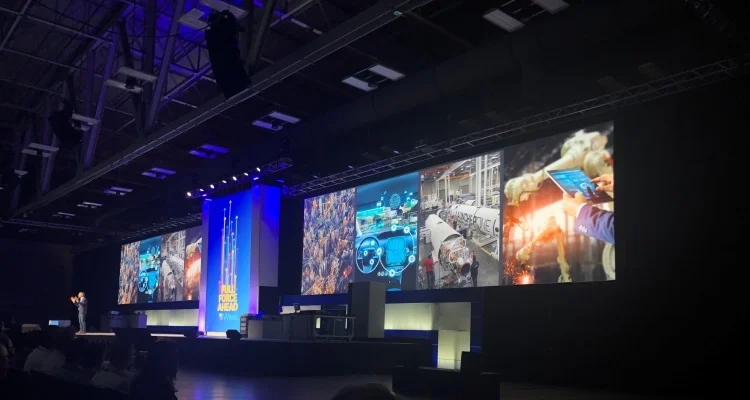
As previously mentioned, GPower attended NIWeek 2019 in Austin, Texas—and there is plenty of news from the event! News that will hopefully help inspire new and exciting solutions in your department. Based on our field, I have compiled some of the week’s technical highlights in a mini-series, where the first of a total of three blog posts covers new features in LabVIEW 2019.
LabVIEW 2019 – new features
As usual, this year’s NIWeek also saw the release of a new version of LabVIEW with many new features, such as:
- Two new data structures
- Sets: Contain only unique values
- Maps: Store data under keys for quick retrieval
- Installation via NI Package Manager (NIPM)
- Feeds available as part of a package
- Package Installer
- New 64-bit version of the LabVIEW FPGA Module
New data structures [Set and map]
The new data structures supplement the existing structures (arrays, variants, clusters, etc.) and have specific properties that are not available in the existing ones.
- A Set can contain only unique values and filters out all duplicates when the set is created. This eliminates the need to iterate through all the data in an array and check whether each value is unique or a duplicate—simply convert the array to a set. The result therefore contains only the array’s unique values.
- A Map stores data under a key string, which is used to retrieve the data again. This can be used, among other things, for configuration data or for handling multiple languages in applications.
Application distribution
The installation of LabVIEW 2019 has also changed significantly. Both LabVIEW 2019 and most underlying tools such as Real-Time and FPGA are now managed as packages in NI Package Manager (NIPM). This means, among other things, that they can be installed and updated directly from the package manager, simplifying the installation process for the user when many National Instruments products need to be installed at the same time.
In LabVIEW 2019, the options for creating your own packages for NIPM have also been expanded, enabling you to install an application developed in LabVIEW. The package manager works by subscribing to lists, called feeds, to find the latest version of, for example, LabVIEW. What is new in LabVIEW 2019 in this context is that you can create and update a feed directly as part of the build process. In addition, from the end user’s perspective, the update becomes available once the application has finished building.
LabVIEW 2019 also improves the installation process for your application on a PC that does not have NIPM installed. A new build target, called Package Installer, has been introduced, which installs NIPM first and then installs the dependencies for the package installer and the required files.
What do the new features mean more concretely?
Based on the new features in LabVIEW 2019, it has, among other things, become much easier to create an application to share between the development department and production, without any doubt about which version is the latest. A huge step forward in reaching development project goals faster!
From new features in LabVIEW to new features in TestStand [2:3]
As described in the introduction, this is the first of a total of three posts, and in the next post [2:3] I will highlight new features in TestStand, which is a framework for test management.
If you have any questions about the post, you are always welcome to write to or call us.
![Don’t let your error codes become the next Blue Screen of Death [3:4]](https://gpower.io/wp-content/uploads/2026/09/Figur-1-Windows-11-Blue-Screen-of-Death-1-300x225.webp)

![Error handling in LabVIEW [2:4]](https://gpower.io/wp-content/uploads/2026/06/Fejlhaantering-i-labview-jesper-kjaer-soerensen-gpower-300x169.png)

![Don’t let your error codes become the next Blue Screen of Death [3:4]](https://gpower.io/wp-content/uploads/2026/09/Figur-1-Windows-11-Blue-Screen-of-Death-1.webp)