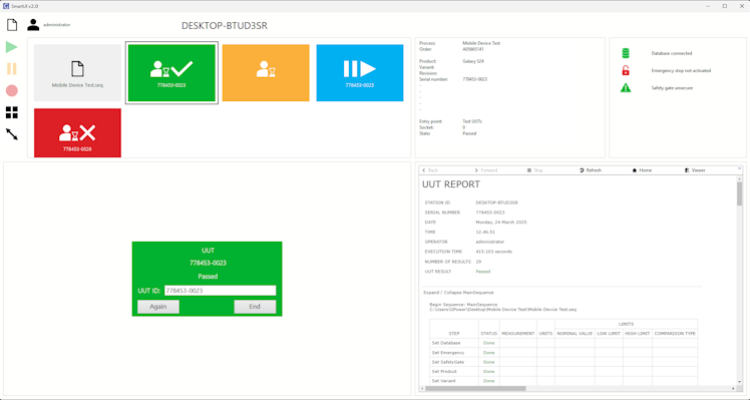
GPower will soon release software products that require TestStand 2024 and LabVIEW 2024 runtime support. What are your thoughts on this version choice?
The specific software products that GPower plans to release this year include a modern TestStand user interface with a TestStand API, tools for product and variant management with both TestStand and LabVIEW APIs, as well as extensions to TestStand’s process models and Sequence Editor.
Version management is essential for software developers and managers—also when working with TestStand and LabVIEW. Both tools support version compatibility, making it possible to develop in one version and run with a different runtime engine version. TestStand and LabVIEW do not need to match versions when used together in a runtime environment. To ensure compatibility, you must adjust a few key settings: In the LabVIEW Application Builder, enable “Allow future versions of LabVIEW to…”, and in TestStand, enable “Enable version independent runtime engine”. Once these settings are configured, you can, for example, develop in LabVIEW 2019 and TestStand 2021 and then deploy a TestStand 2024 / LabVIEW 2024 runtime environment.
What are your experiences with TestStand / LabVIEW version compatibility (do you know how to set it up correctly)?
For many years, GPower has worked reliably with LabVIEW 2019, but we are now transitioning to the powerful LabVIEW 2024 for most of our development. Rest assured—we still support all TestStand and LabVIEW versions for our customers. To fully support LabVIEW 2024 in TestStand, we will use TestStand 2024.
As a result, some of our future products will require the TestStand 2024 and LabVIEW 2024 runtime engine. However, this runtime environment will remain compatible with sequence files from older TestStand versions and code modules from older LabVIEW versions. This means you do not need to update your existing code to start using your software with our products right away.
Do you consider it acceptable to upgrade your runtime environment to TestStand 2024 in order to use GPower’s new products?
If you want to use GPower’s latest LabVIEW APIs, you will need the LabVIEW 2024 (or newer) development environment—but only to create code using these new APIs. This can easily coexist with LabVIEW code in older versions.
Do you think it is a fair trade-off to require LabVIEW 2024 for new development with GPower’s APIs, considering all the benefits LabVIEW 2024 provides?
In the hope of demystifying TestStand / LabVIEW version compatibility and getting us all onto newer versions of these tools so we can benefit from all the new features NI offers, we would welcome your thoughts in the comment field on LinkedIn.
![Don’t let your error codes become the next Blue Screen of Death [3:4]](https://gpower.io/wp-content/uploads/2026/09/Figur-1-Windows-11-Blue-Screen-of-Death-1-300x225.webp)


![Error handling in LabVIEW [2:4]](https://gpower.io/wp-content/uploads/2026/06/Fejlhaantering-i-labview-jesper-kjaer-soerensen-gpower-300x169.png)

![Don’t let your error codes become the next Blue Screen of Death [3:4]](https://gpower.io/wp-content/uploads/2026/09/Figur-1-Windows-11-Blue-Screen-of-Death-1.webp)