


IO-Link for LabVIEW and TestStand
Connects LabVIEW and TestStand to IO-Link, enabling you to add countless sensors to one or more test systems
Avoid complex programming
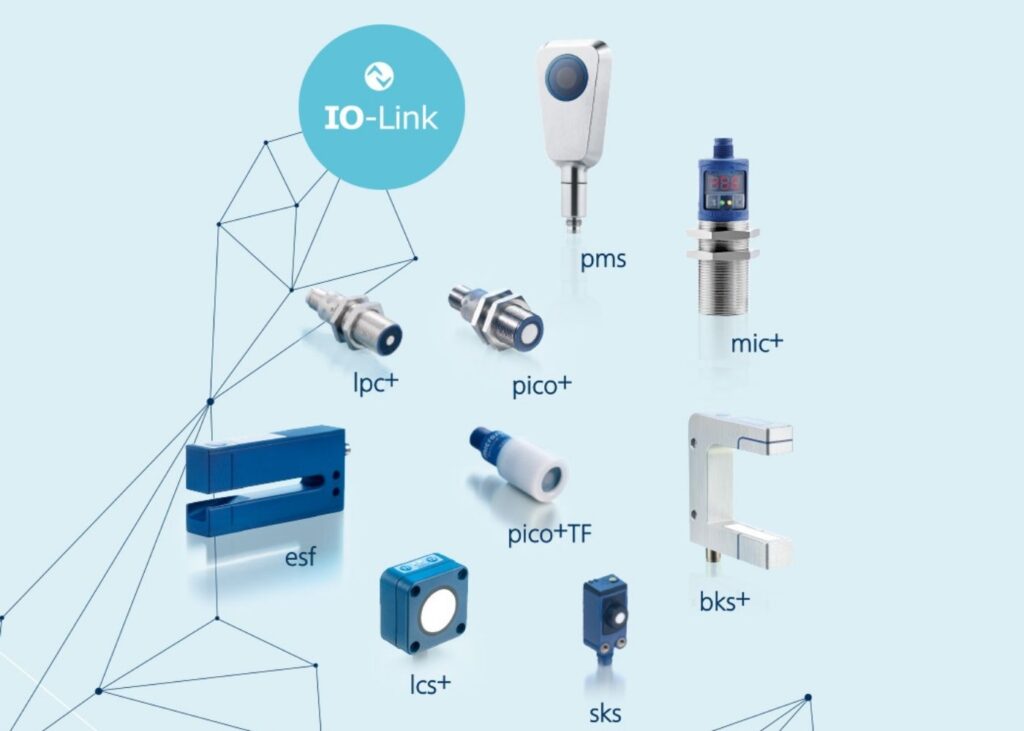
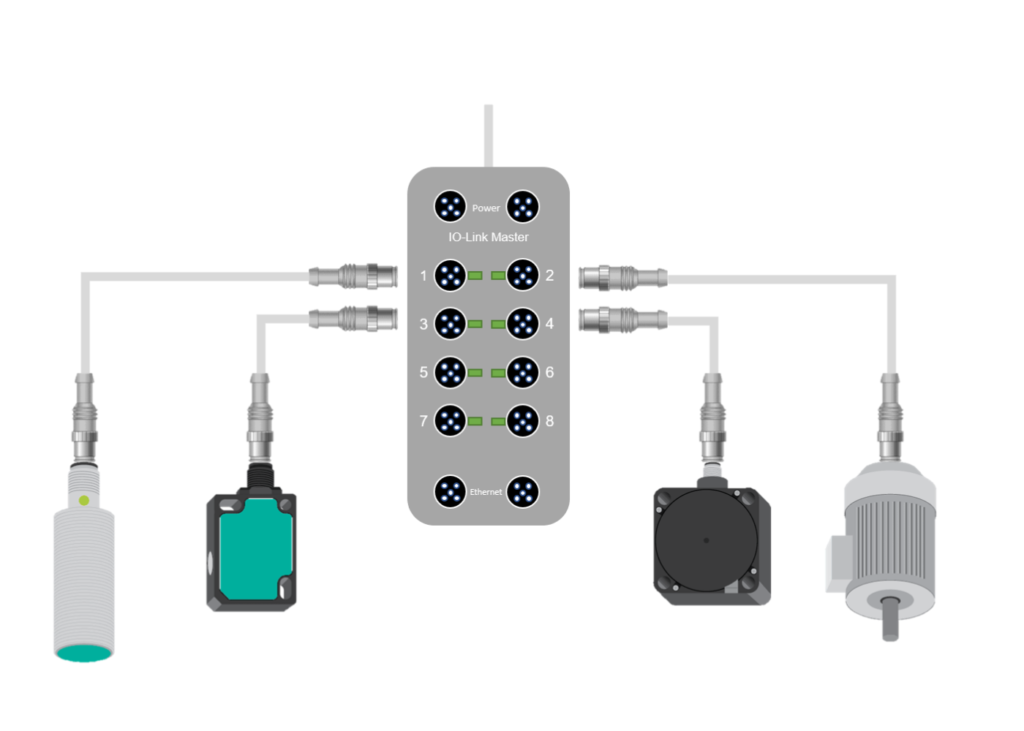
If you use sensors, actuators, stack lights, push buttons, or light curtains in your system, there is good reason to take a look at IO-Link. At GPower, we centralize support for multiple IO-Link masters in a single driver built for LabVIEW and TestStand. At the same time, we enable you to use IO-Link plug-and-play.
The driver for either LabVIEW or TestStand loads and understands the IODD file, which is the manufacturer’s description of the interface to the IO-Link device. This provides the user with unique, user-friendly access to more than 30,000 IO-Link devices.
Benefits of IO-Link
IO-Link makes integrating sensors and actuators simple. The IODD file describes the device’s functions and available data, making it quick to implement new devices in your software. This reduces development time and provides flexibility through the wide range of IO-Link-compatible devices.
Member of PROFIBUS Denmark & the IO-Link community
GPower is a member of PROFIBUS Denmark – the Danish interest association for industrial communication standards based on PROFIBUS and PROFINET. As a member, we are closely networked with leading suppliers, manufacturers, and system integrators in automation and communication technology, ensuring high quality, standardization, and interoperability in our solutions.
In addition, GPower is also part of the official IO-Link.com community, which brings together international stakeholders around the open, fieldbus-independent IO-Link standard for sensors and actuators.
Buy GPower IO-Link
LabVIEW Development
LabVIEW Runtime
TestStand Development
TestStand Runtime
IO-Link driver package
Supports execution in 32-bit and 64-bit LabVIEW
Device API
Can generate a Device API from from an IODD file
LabVIEW Driver palette
Develop programs using the IO-Link function palette
LabVIEW 2019 or later
Supports execution in LabVIEW 2019 or later
Runtime support
Can be executed in TestStand Runtime
Feature upgrades
The license covers all updates within the same version (e.g., v1.x.x)
TestStand package
Supports 32-bit TestStand. Contact us for 64-bit
IO-Link Custom Step Type
IO-Link Step Type available in the Insertion Palette
TestStand 2019 or later
Supports execution in TestStand 2019 or later
Subscription
Annual subscription payment
1.137 €
1.137 €
Perpetual
One-time payment for a perpetual license
4.520 €
1.808 €
4.520 €
1.808 €
*Please note that when purchasing GPower IO-Link Annual Subscription, we reserve the right to store your card details. The subscription is charged once per year at the end of the subscription period. Before the payment is charged, we will send you an email in which you have the option to cancel the subscription, as you do throughout the rest of the year. Please note that even if you cancel your subscription, you can still access GPower IO-Link and use the product until the paid period ends.
*Please also note that the above prices are only valid if you purchase directly from our webshop. If you would like us to handle the order manually, there is a one-time fee of DKK 2,000 for order handling.
***Please note that all prices are excl. VAT.
LabVIEW Development
- IO-Link LabVIEW 32- and 64-bit driver package
- Develop LabVIEW applications
- Custom API
- LabVIEW Driver palette
- LabVIEW 2019 or later
- Runtime support
- Feature upgrades
Subscription
1.137 €
Perpetual
4.520 €
LabVIEW Runtime
- IO-Link LabVIEW 32- and 64-bit driver package
- LabVIEW 2019 or later
- Runtime support
- Feature upgrades
Perpetual
1.808 €
TestStand Development
- Runtime support
- Feature upgrades
- TestStand 32-bit package
- Develop TestStand sequences
- IO-Link Custom Step Type
- TestStand 2019 or later
Subscription
1.137 €
Perpetual
4.520 €
TestStand Runtime
- Runtime support
- Feature upgrades
- TestStand 32-bit package
- TestStand 2019 or later
Perpetual
1.808 €
*Please note that when purchasing GPower IO-Link Annual Subscription, we reserve the right to store your card details. The subscription is charged once per year at the end of the subscription period. Before the payment is charged, we will send you an email in which you have the option to cancel the subscription, as you do throughout the rest of the year. Please note that even if you cancel your subscription, you can still access GPower IO-Link and use the product until the paid period ends.
**Please note that the above prices are only valid if you purchase directly from our webshop. If you would like us to handle the order manually, there is a one-time fee of DKK 2,000 for order handling.
***Please note that all prices are excl. VAT.

By using the GPower LabVIEW driver for IO-Link, we successfully established communication between our IO-Link master (IFM AL1350) and LabVIEW (…) With a simple program in LabVIEW, we achieved time- and flow-based automation as well as continuous logging of flow rate. Overall, the installation and implementation were straightforward and highly beneficial, as it saved us significant time and enabled efficient communication for reading and writing sensor data.
– Philipp Stinshoff, The Technical University of Munich
Why GPower IO-Link?
Plug & Play IO-Link integration in LabVIEW
Integrate 30,000+ IO-Link devices directly in LabVIEW via IODD files.
Complete toolkit for LabVIEW and TestStand
Ready-made tools for fast and stable integration of IO-Link devices.
Faster development
Significantly reduce development and setup time with ready-to-use tools.
Broad hardware compatibility
Compatible with popular IO-Link masters such as ifm, SICK, Balluff, and Turck.
Download free versions for 90 days

*64-bit is available on request.
Supported master devices
ICE2-8IOL-G65L-V1D
ICE2-8IOL-K45P-RJ45
ICE2-8IOL-K45S-RJ45
ICE3-8IOL-G65L-V1D
ICE3-8IOL-K45P-RJ45
ICE3-8IOL-K45S-RJ45
IOLM 4-EIP
IOLM 8-EIP
IOLM 8-EIP-L
IO-Link Master PROFINET (11215447)
IO-Link Master PROFINET (11215445)
YL212CEI8M1IO
YL212CPN8M1IO
YN115CEI8RPIO
YN115CPN8RPIO
I/O module – IOL MA8 EIP DI8
CBX-8IOL Master
AL13xx Series
AL19xx Series
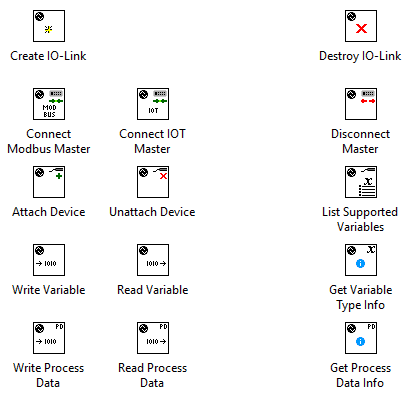
LabVIEW driver for IO-Link masters
- LabVIEW driver API with LabVIEW palette
- Easy access to all parameters for IO-Link devices
- Easy installation via VI Package Manager
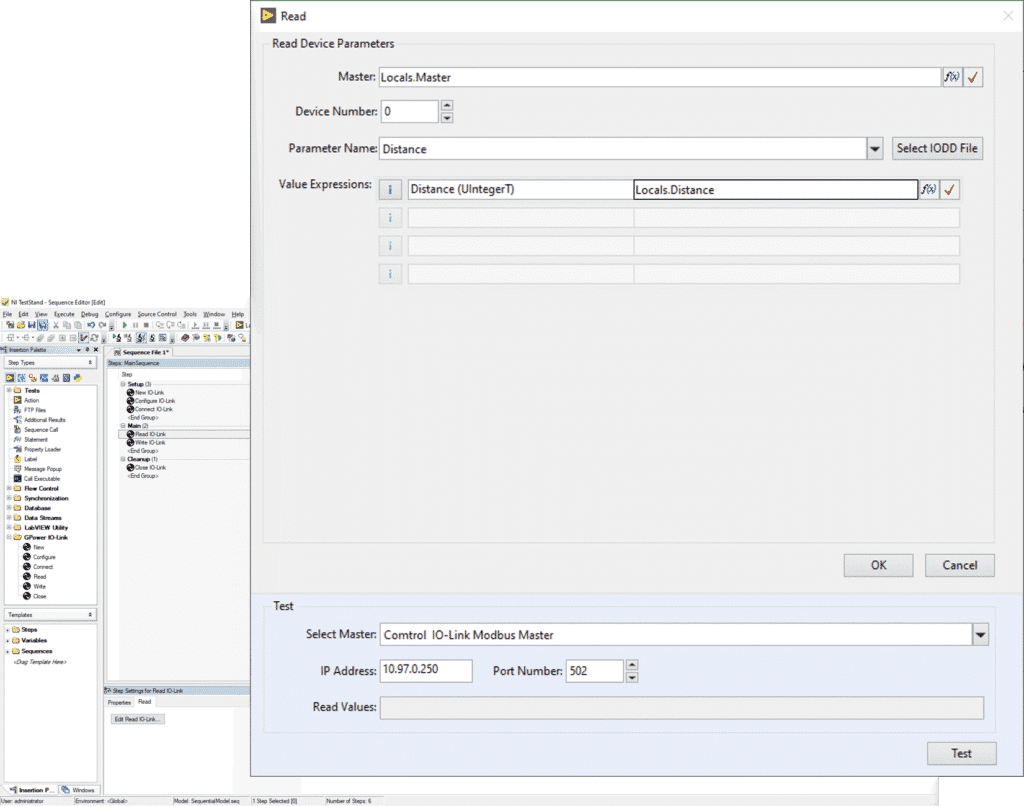
TestStand Step Type for IO-Link masters
- Direct integration with TestStand variables
- Easy access to all parameters for IO-Link devices
- Easy installation via NI Package Manager
FAQ
What is IO-Link? Get the explanation in 2 minutes [Video]
How do I get started with GPower IO-Link? [5 steps]
1. Connect the IO-Link sensor to the master
2. Download the IODD file from https://ioddfinder.io-link.com/#/
3. Select the IODD file in our LabVIEW driver or TestStand Step Type
4. Select a parameter from the list
5. Read or write data
How do I get started with GPower IO-Link and LabVIEW? [Video]
How do I get started with GPower IO-Link and TestStand? [Video]
Are only the listed IO-Link masters supported?
Additional IO-Link masters may be supported. This is likely, but not guaranteed. The masters listed on our website are those that have already been tested and verified by us.
The toolkit says my device is not supported. How can that be?
Each IO-Link device is identified by its device and vendorID, which are also found in the IODD file. For a device to be compatible with the file, these parameters must match. Errors can occur if the device reports different information, or if the selected IODD file does not match the device. Please note that IODD files from suppliers may contain errors.
What is the sampling rate?
The total sampling rate is approx. 20 Hz and is shared among all active channels. A single channel can achieve up to 20 Hz, while multiple channels share the available rate (e.g., 15 Hz on one channel and 5 Hz on another).
We currently also use cRIO as measurement hardware. Is this functionality supported?
Support for cRIO is currently in the final stages of development. We are actively working to release this compatibility and expect it to become available soon.
If cRIO is supported, is there a demo kit or a demonstration where you can test the simplicity and robustness of the integration?
At this time, we do not yet offer a dedicated demo kit for cRIO integration.
How should I handle updates and licensing models?
With a subscription, you always have access to the latest version of the product – including all updates and new features. With a perpetual license, minor updates are included, but major upgrades (typically released every few years) require an upgrade fee.
A major update is when the version number changes the major version – e.g., from 1.x.x to 2.0. Minor updates, such as from 1.1.1 to 1.1.2, are ongoing improvements and bug fixes within the same major version.
Pros vs. cons of choosing a perpetual license
Advantages
- One-time payment and full financial control
- No ongoing commitments
- Stable solution without ongoing changes
- Option to stay on a validated version for as long as desired
Disadvantages
- Payment for major upgrades
- No automatic access to new features
- Risk of gradually falling behind technologically
Pros vs. cons of choosing a subscription license
Advantages
- Always access to the latest version and features
- All updates included
- Ongoing improvements and performance optimizations
- Less internal maintenance and planning
Disadvantages
- Ongoing cost
- Dependence on an active subscription
Is it true that GPower offers a 75% discount on IO-Link licenses for academia?
If your team or company is affiliated with an academic institution, we offer a 75% discount.
Contact us at this email ([email protected]) to learn more about the options and receive a discount code.
Is 64-bit available for TestStand?
Yes, we also offer 64-bit for TestStand on request. Simply send an email to [email protected], and we will send you a zip file within 24 hours.