


SmartUI for TestStand
An intuitive user interface for anyone looking to streamline control and increase the efficiency of their test execution.
Boost your test efficiency with SmartUI
Tired of traditional test UIs that only run sequences without providing real insight? With GPower’s SmartUI, you get:
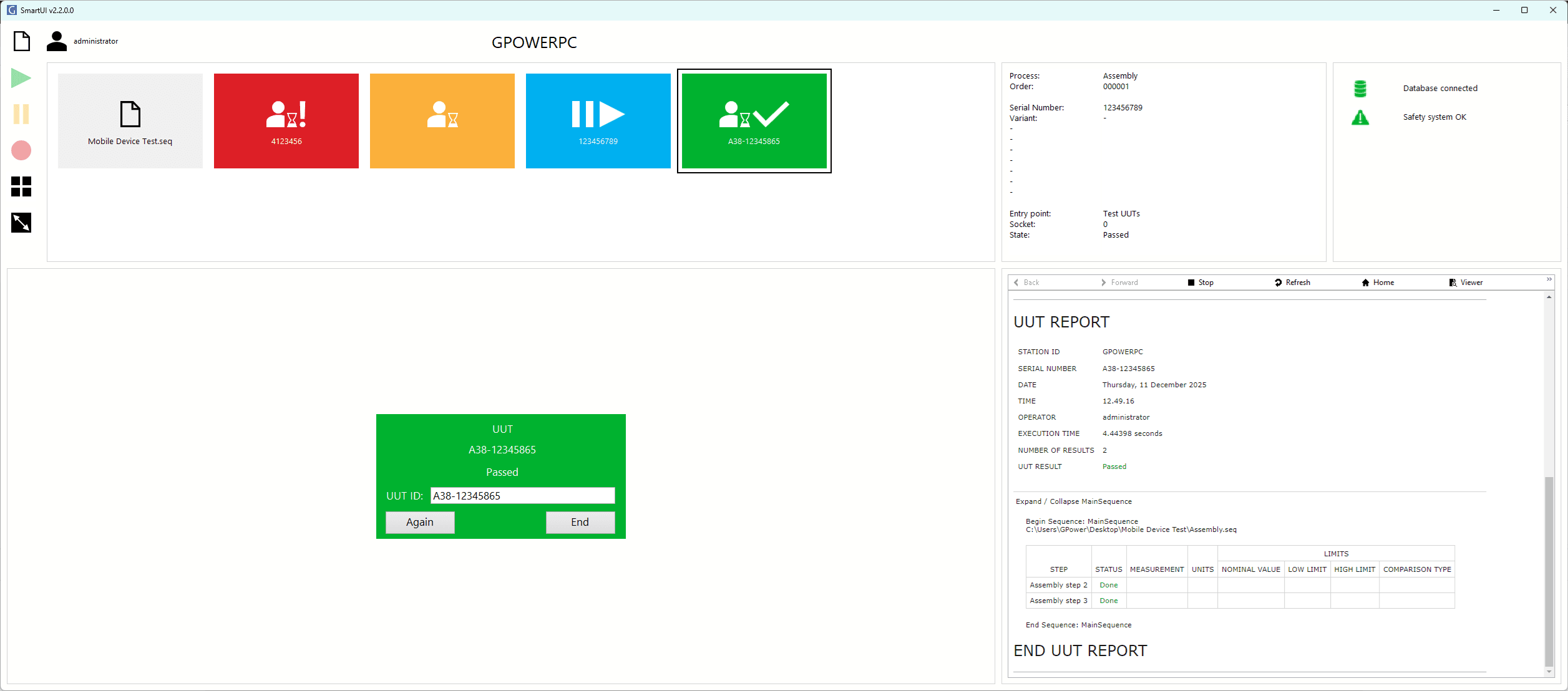
- Improved operator experience: An intuitive, user-friendly interface that increases efficiency
- Scalability and standardization: A consistent user interface across all test stations, reducing training time, errors, and maintenance costs
- Embedded dialogs in the user interface ensure that no windows are hidden
- Especially well suited for touchscreens
- Optimized performance: Reduce downtime, monitor operations, and make data-driven decisions
Efficiency and control like never before
SmartUI for TestStand is developed for manufacturing companies with the purpose of improving process transparency, increasing robustness, and ensuring seamless scaling across all test stations.
With an intuitive and standardized interface, operators and developers get an effective tool that ensures consistent use and easy day-to-day handling.
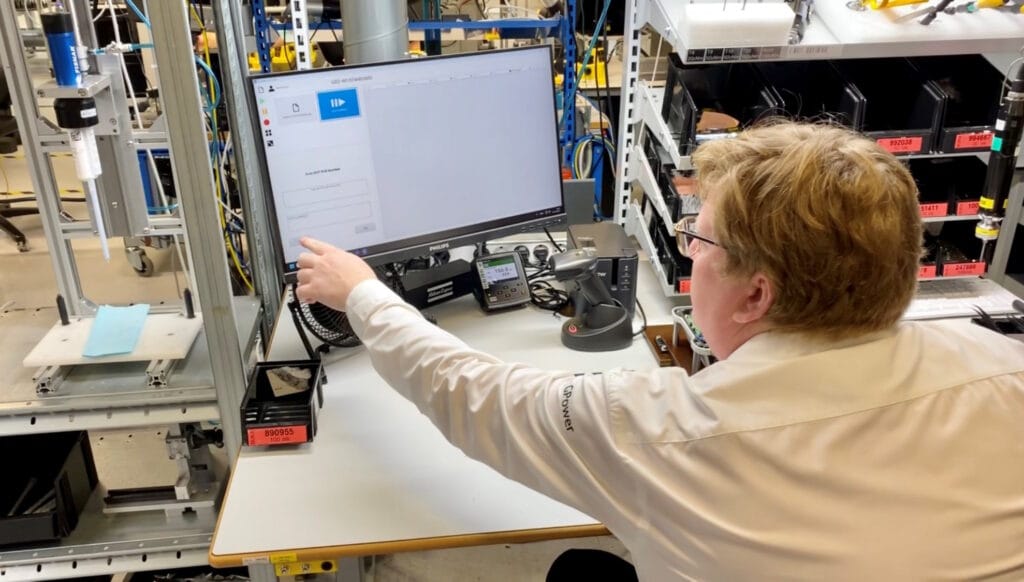
“Instant operator prompts combined with clear visual indicators for each test socket significantly reduce downtime and human error. This proactive system becomes even more important as test capacity scales, helping you keep up with rising demand without compromising efficiency. ”
– Steen Schmidt, CTO at GPower
Embedded dialogs
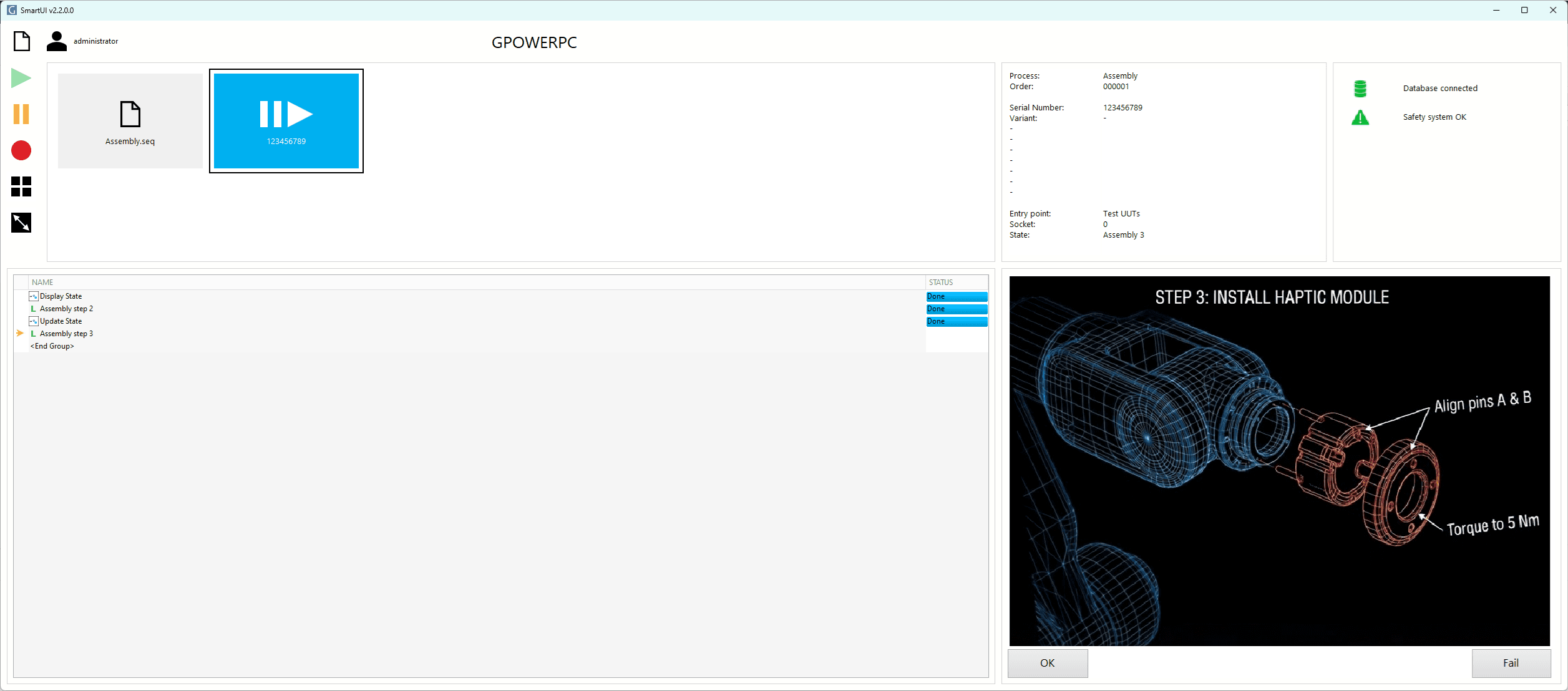
All dialogs are displayed directly in the UI, so operators avoid hidden pop-ups and maintain full overview.
Digital procedures
A simple step-by-step guide ensures consistent processes and fewer errors across operators.
Modern interface
Intuitive design with instant feedback enables faster onboarding, less downtime, and better control.
Scalable and flexible
SmartUI can be adapted to any test environment and makes it easy for operators to work across stations.
Future-proof
With long-term support and continuous updates, SmartUI remains stable, compatible, and up to date.
Robustness and security
SmartUI for managing test processes
Leica Geosystems was in the middle of developing a new product and needed a test system for quality assurance of their Safety Awareness Solutions.
With GPower SmartUI as the cornerstone, it was possible to develop a solution that gives operators an intuitive way to manage the test process. The modern user interface is designed to reduce complexity and remove unnecessary noise, making the test process simpler and more efficient.
Buy GPower SmartUI
TestStand Smart Flow
A product with compatible process models
Free
with the purchase of SmartUI
- Optimized process models
- Embedded standard dialogs
GPower SmartUI
Activate your license after the 90-day demo
6.499,35 €
one-time fee
- Perpetual license per test station
- Instant digital download and activation
SmartUI license calculator
Enter how many SmartUI licenses you need and see the total price.
| Price per number of licenses | License no. 1 | Licenses no. 2 to 5 | Licenses no. 6 to 20 | Licenses over 20 |
|---|---|---|---|---|
| Perpetual license | DKK 50,000 | DKK 20,000 | DKK 8,500 | DKK 6,000 |

During the development of a new product, we needed both software and test equipment. GPower solved the task, including with their SmartUI, which provided our operators with the necessary inputs for assembling units in a clear, intuitive interface.
– Jeppe Linde Hørup, Leica Geosystems
Download free versions for 90 days
SmartUI TestStand Toolkit
Use the TestStand Toolkit to integrate information into SmartUI
Free
Forever
- Product information
- Serial number
- Process and station information
SmartUI LabVIEW Toolkit
Use the LabVIEW Toolkit to create your own dialogs for SmartUI
Free
Forever
- Create your own dialogs that can easily be integrated into SmartUI
We chose GPower because their expertise and accommodating approach quickly gave us confidence that they were the right fit for the task. From start to finish, they acted as an extra part of our organization—flexible, reliable, and committed to the project.
– Jeppe Linde Hørup, Leica Geosystems
FAQ
What do I need to get started?
The interface is installed via NI Package Manager. In addition, a TestStand 2024 Runtime Engine or newer is required. For questions regarding the price of the TestStand Runtime (link to where we sell NI licenses).
What do I do if I do not have TestStand installed?
SmartUI only requires the TestStand Runtime (and not the TestStand Sequence Editor). It is therefore possible to execute existing sequence files with only the TS 2024 Runtime Engine installed. Link to where we sell NI licenses.
What are the key specifications for SmartUI?
Compatible with TestStand versions: TS2024 and newer (requires Runtime only).
Where can I download the installation guide for SmartUI?
Click here to download the installation guide. Get up and running quickly and easily with four simple steps on how to install and activate SmartUI.
- Installation
- Setup
- Activation
- Run
Are my existing sequences compatible with SmartUI?
Existing sequences can run in SmartUI. However, standard message pop-ups in TestStand are not integrated into the user interface and therefore do not trigger the visual indicators for user interaction.
How do I convert my existing sequences to SmartUI?
Use the GPower SmartUI TestStand Toolkit (available as a free download) to replace existing message pop-ups with SmartUI-compatible versions. The process is described in detail in section 7.4 of the user manual.
Can SmartUI-compatible sequences run without SmartUI?
Yes. All GPower SmartUI components are designed to also run without SmartUI.